Fonts, colors & clean CSS from any website
Hover any element to see its font, colors, contrast and spacing. Click a value to copy it. No DevTools, no account.
For designers, front-end developers, marketers and students.
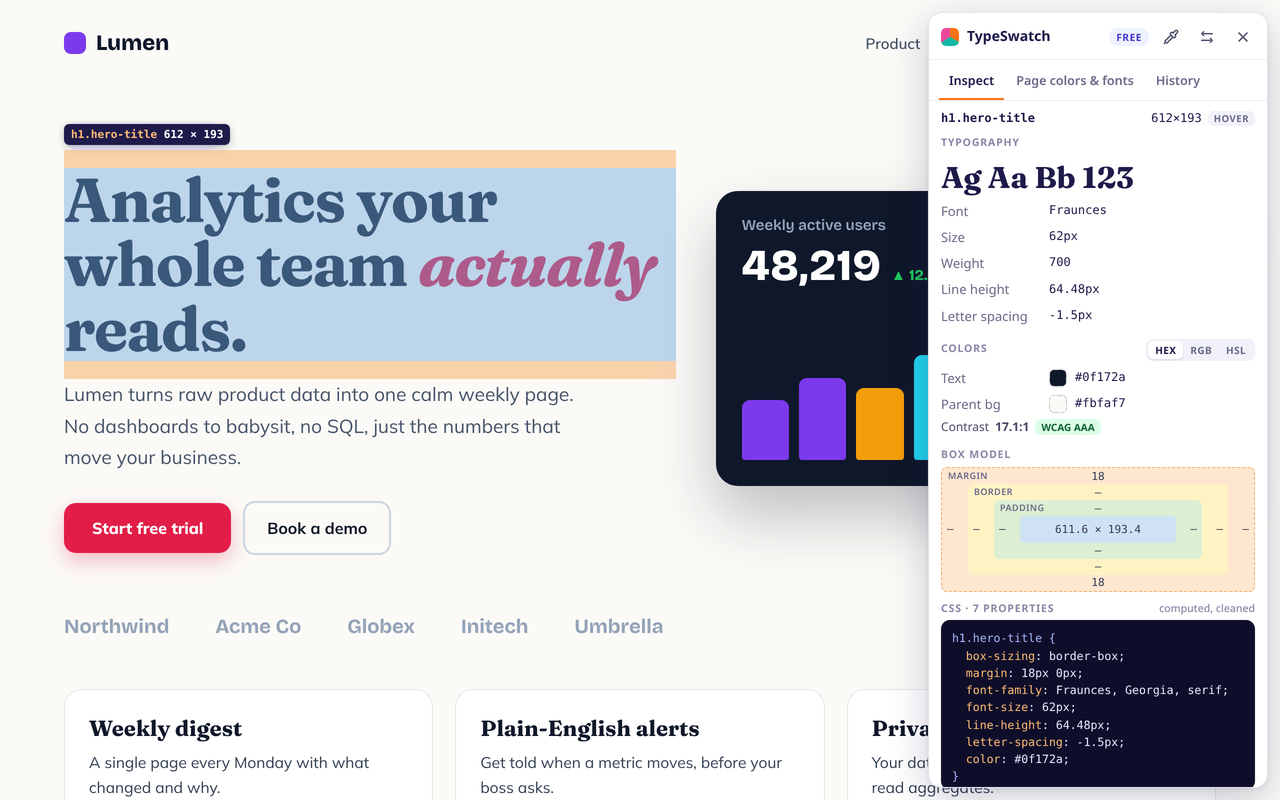
Hover any element to see its font, colors, contrast and spacing. Click a value to copy it. No DevTools, no account.
For designers, front-end developers, marketers and students.
TypeSwatch reads the computed styles of the element under your mouse and shows only what matters for design.
Font family and full stack, size, weight, line height and letter spacing, with a live preview.
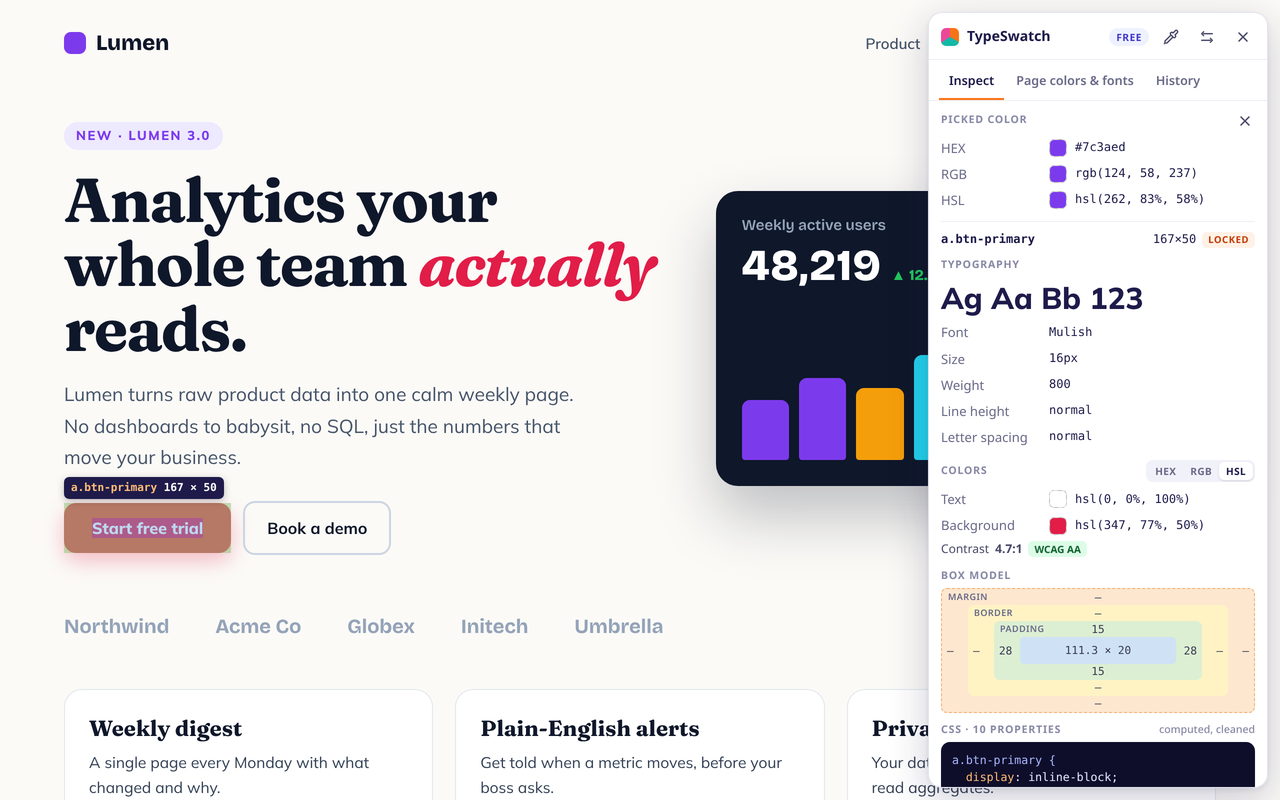
Text, background and border colors as HEX, RGB or HSL. One click copies the value.
WCAG contrast ratio with AA / AAA rating, computed against the real background.
Margin, border, padding and content size, drawn on the page and in the panel.
Pick any pixel on screen, images included, and get it in HEX, RGB and HSL.
Copy an element's CSS without browser defaults, merged into shorthands, colors in HEX.
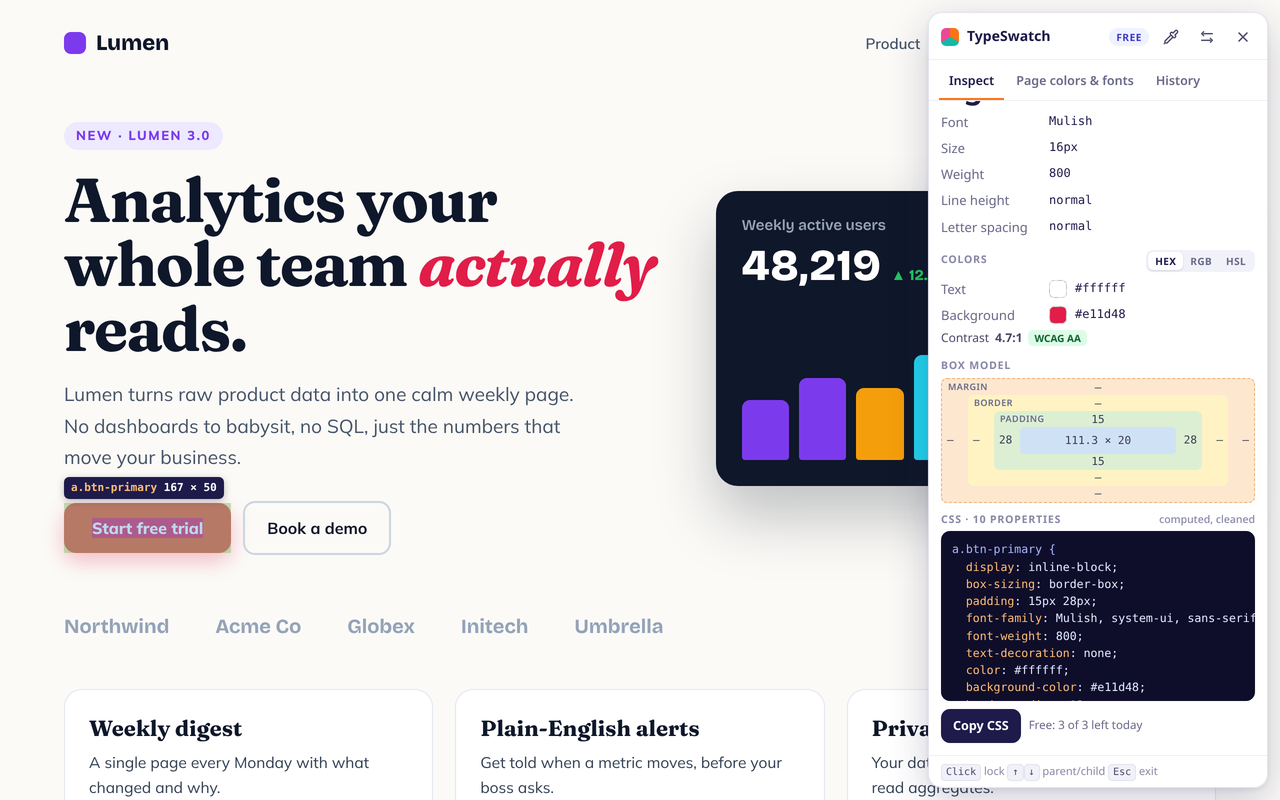
DevTools gives you 300 computed properties. TypeSwatch keeps only those that differ from the browser defaults and merges them (excerpt):
a.btn-primary {
  display: inline-block;
  padding: 15px 28px;
  font-weight: 800;
  color: #ffffff;
  background-color: #e11d48;
  border-radius: 12px;
  box-shadow: #e11d4847 0px 8px 20px 0px;
}
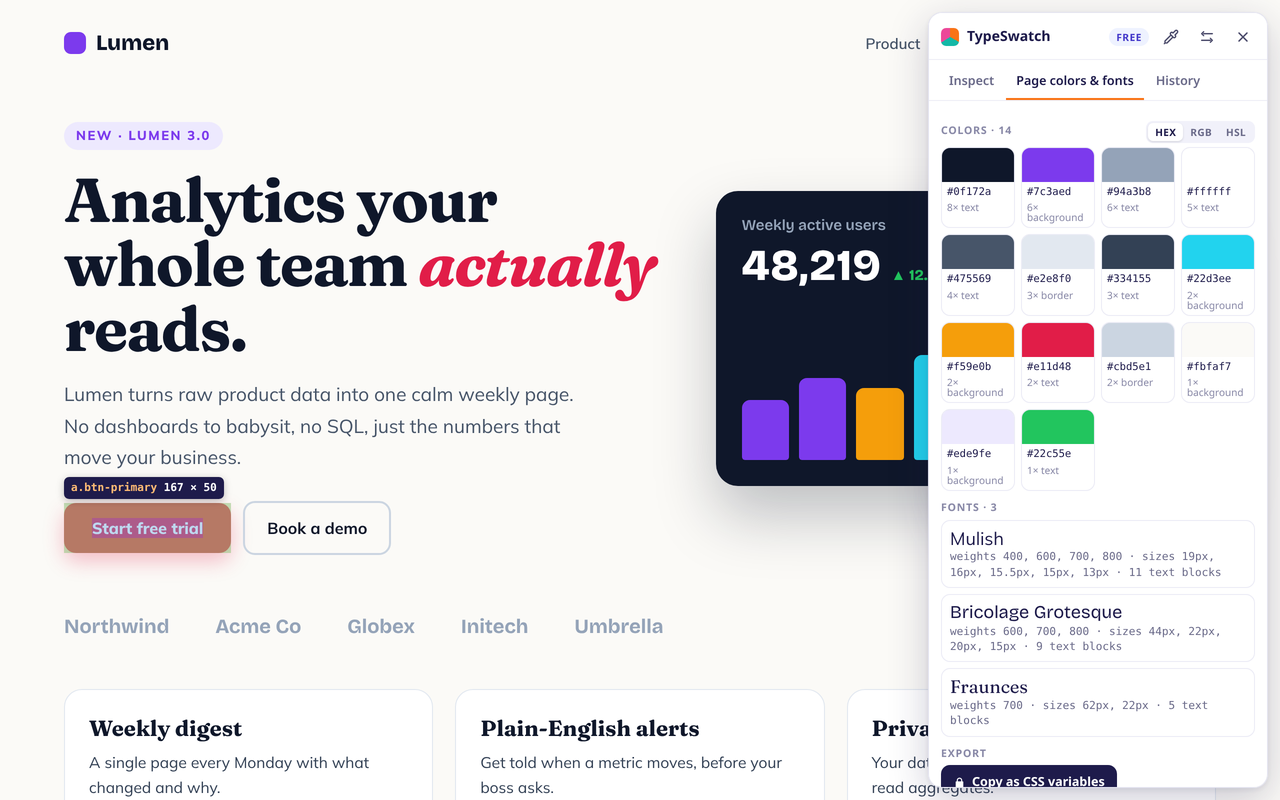
See every color and typeface used on a page, ranked by how often they are used. Click to copy one, or export everything as CSS variables or JSON design tokens with Pro.
Alt+Shift+C.↑ ↓ select the parent or child, Esc closes.The free version is genuinely useful every day. Pro is for people who copy CSS and palettes all day long.
Prices in US dollars. Payments, taxes and invoices are handled by Polar, our merchant of record. After purchase you receive a license key to paste in the extension.
It works on regular web pages. Chrome protects its own pages (chrome://, the Chrome Web Store) and some built-in viewers, so no extension can inspect them.
TypeSwatch reads the computed style, which is what the browser actually renders. It removes values that match the browser defaults and merges sides into shorthands, so you get a short block that reproduces the look.
After purchase you receive a license key by email. Open the TypeSwatch options page (right-click the toolbar icon → Options) and paste it. One key works on up to 3 browsers.
Yes. The monthly plan can be cancelled at any time from your Polar customer portal. You keep Pro until the end of the paid period.